
How to change your transaction pin
- Login to your Palremit app
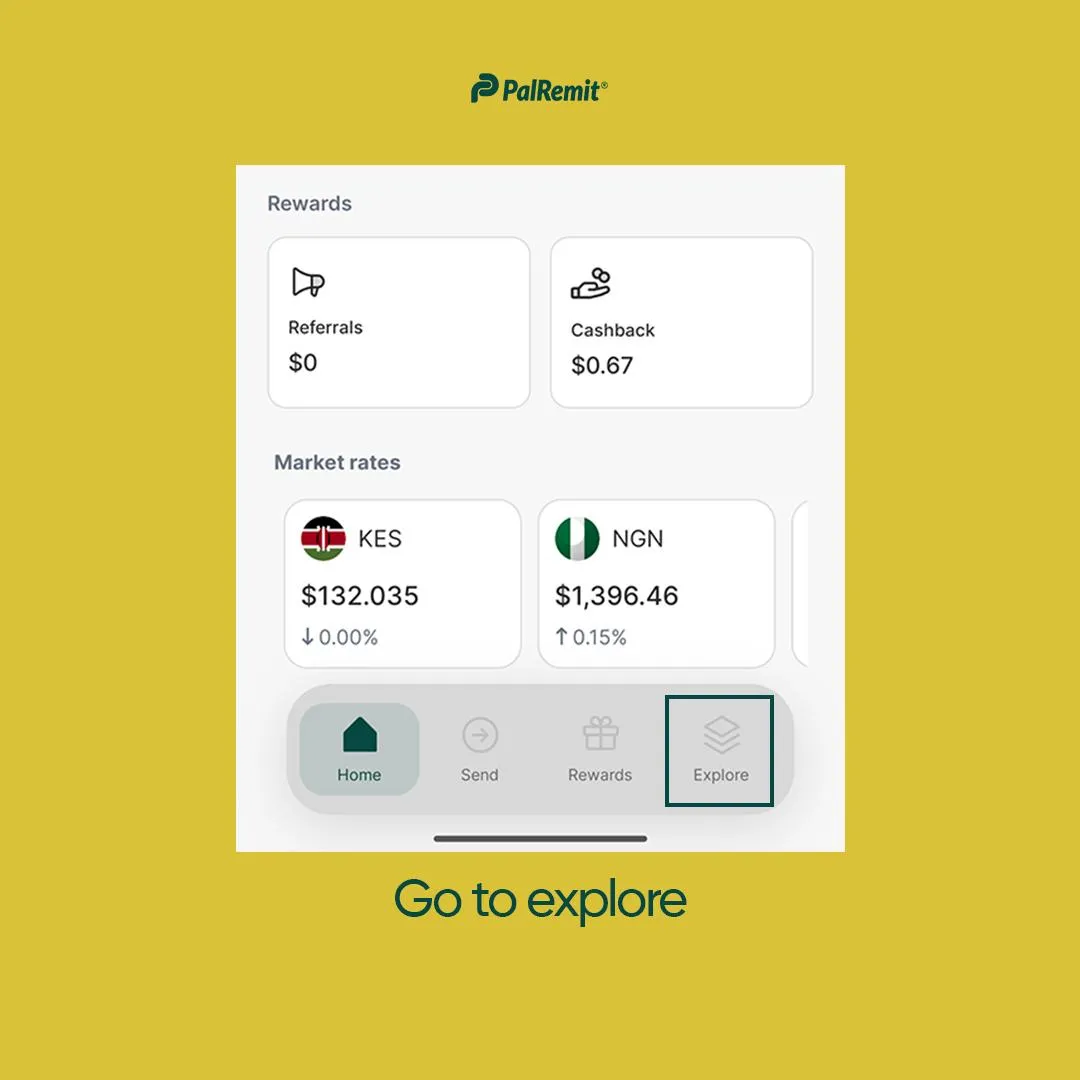
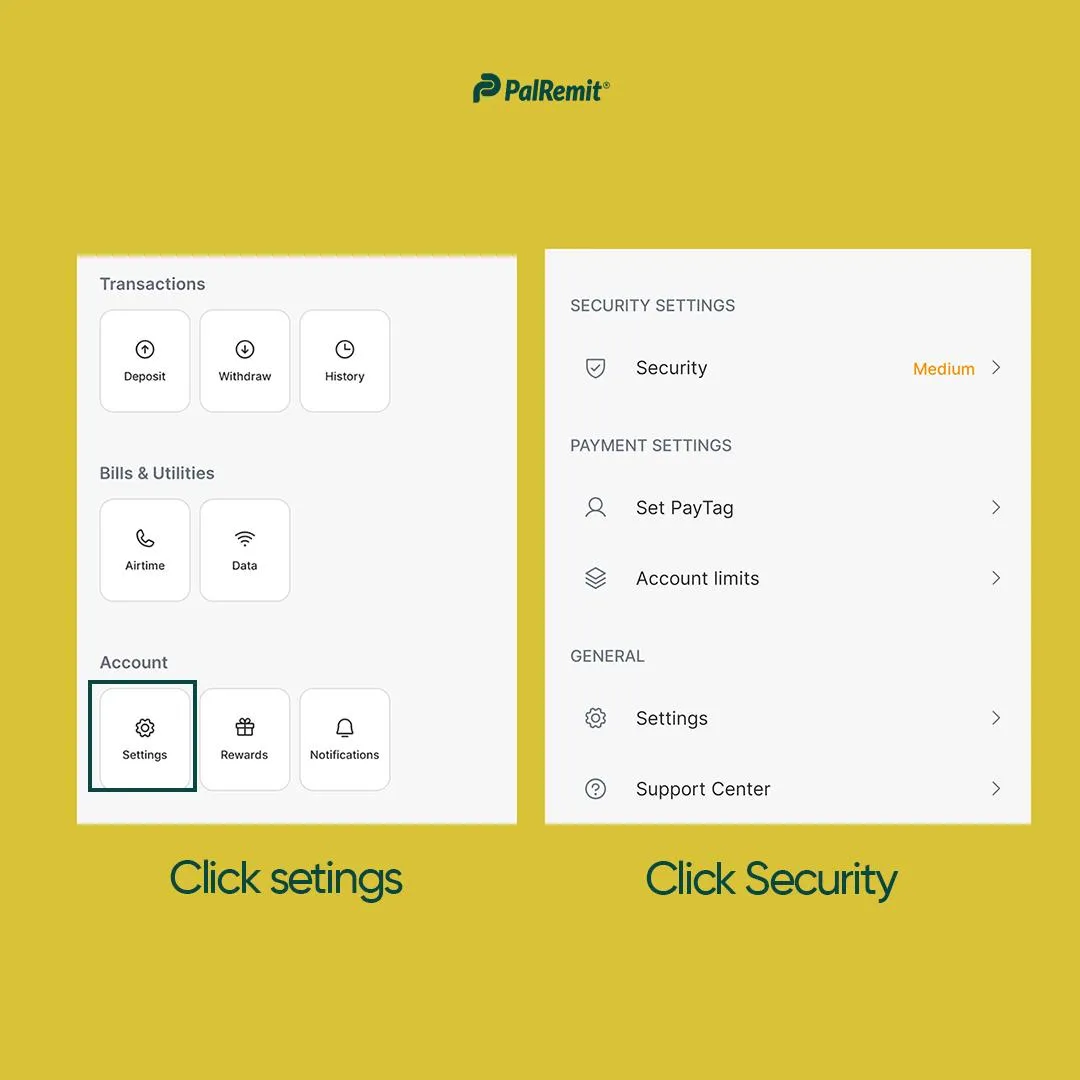
- On your dashboard, tap on Explore > Settings
- Go to Security
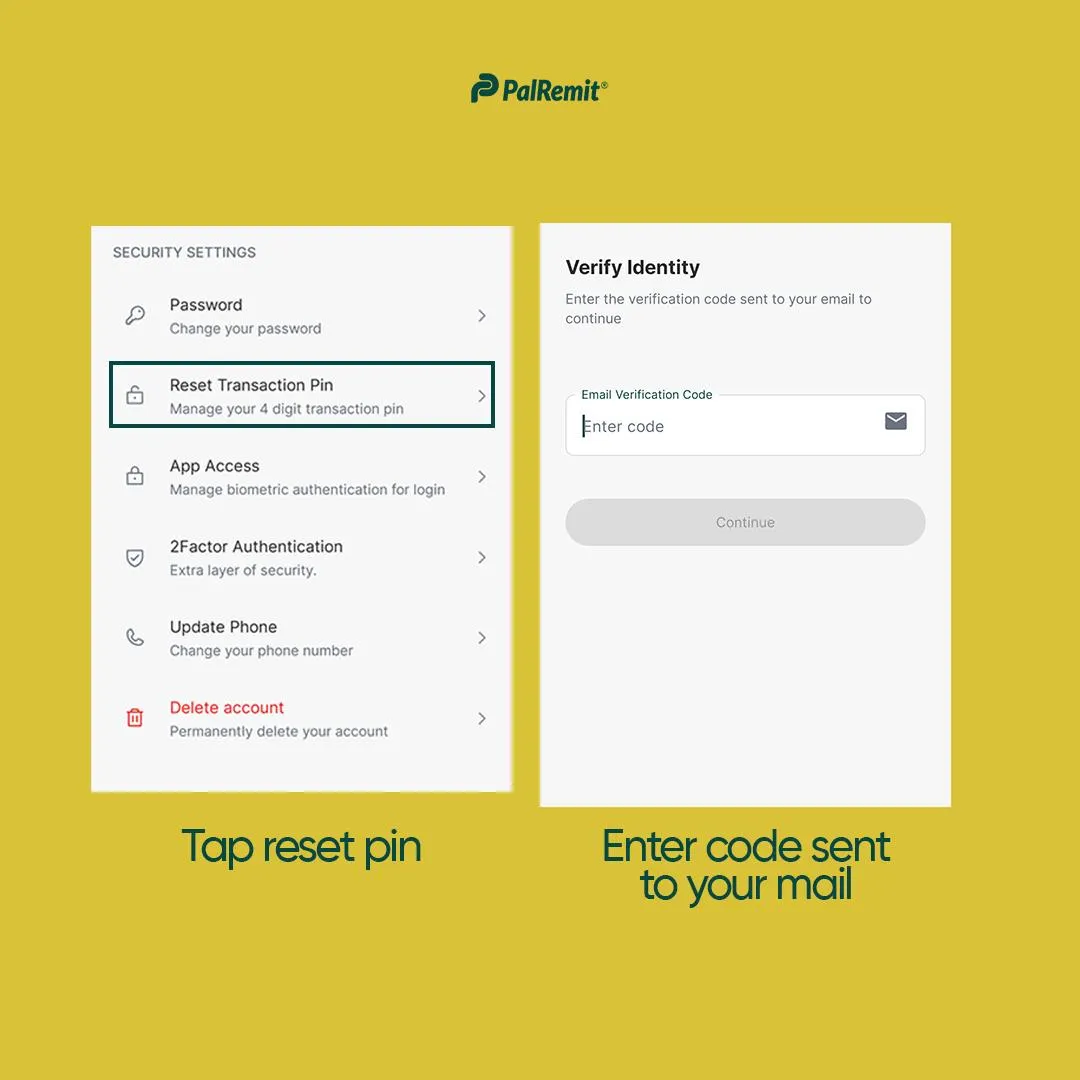
- Select Transaction Pin
- To change your transaction pin, enter code sent to your email, and the code sent to your 2FA (if enabled.)
- Then confirm this new pin by retyping it
- Select Save
Once you’re done, your new 4-digit pin becomes your transaction pin to authorize all transactions done on your Palremit account. Please keep this information private and never reveal it to anyone.